Theme
The Theme sets your website's colour, fonts and corners. Your website shows them as soon as you save.
The screenshots show a demo business with made-up bookings and chats.
1. Pick the brand colour
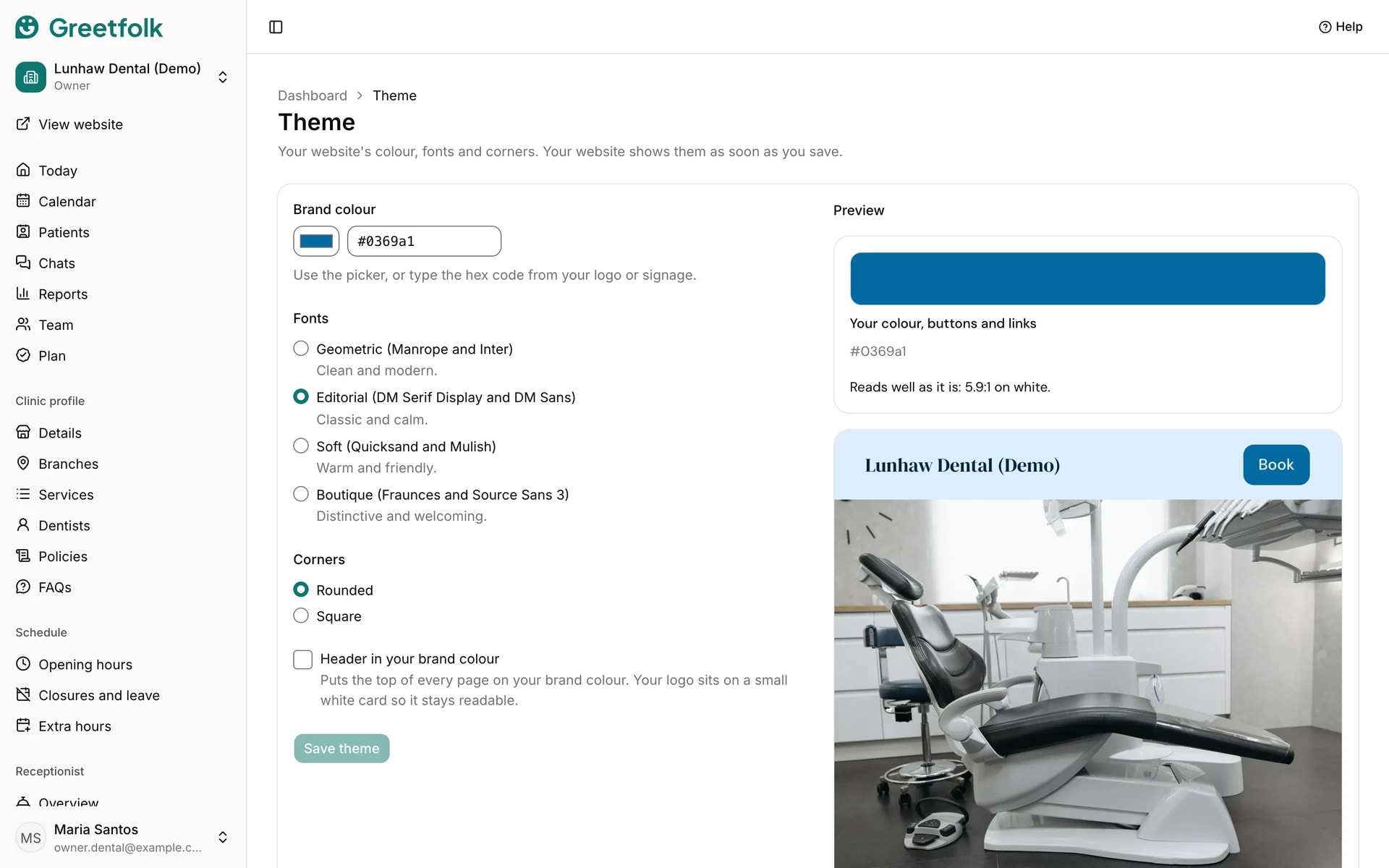
Open Theme under Website. Use the picker, or type the hex code from your logo or signage. Greetfolk works out the button, link and tint colours from it and keeps text readable on each one.
2. Choose fonts and corners
Fonts picks a pairing for headings and text. Corners sets how round buttons, cards and photos are. The sample beside the form updates as you go.
3. Put the header on your colour
Header in your brand colour puts the top of every page on your brand colour. Your logo then sits on a small white card so it stays readable.
4. Save
Click Save theme. The live website changes at once.