Plan
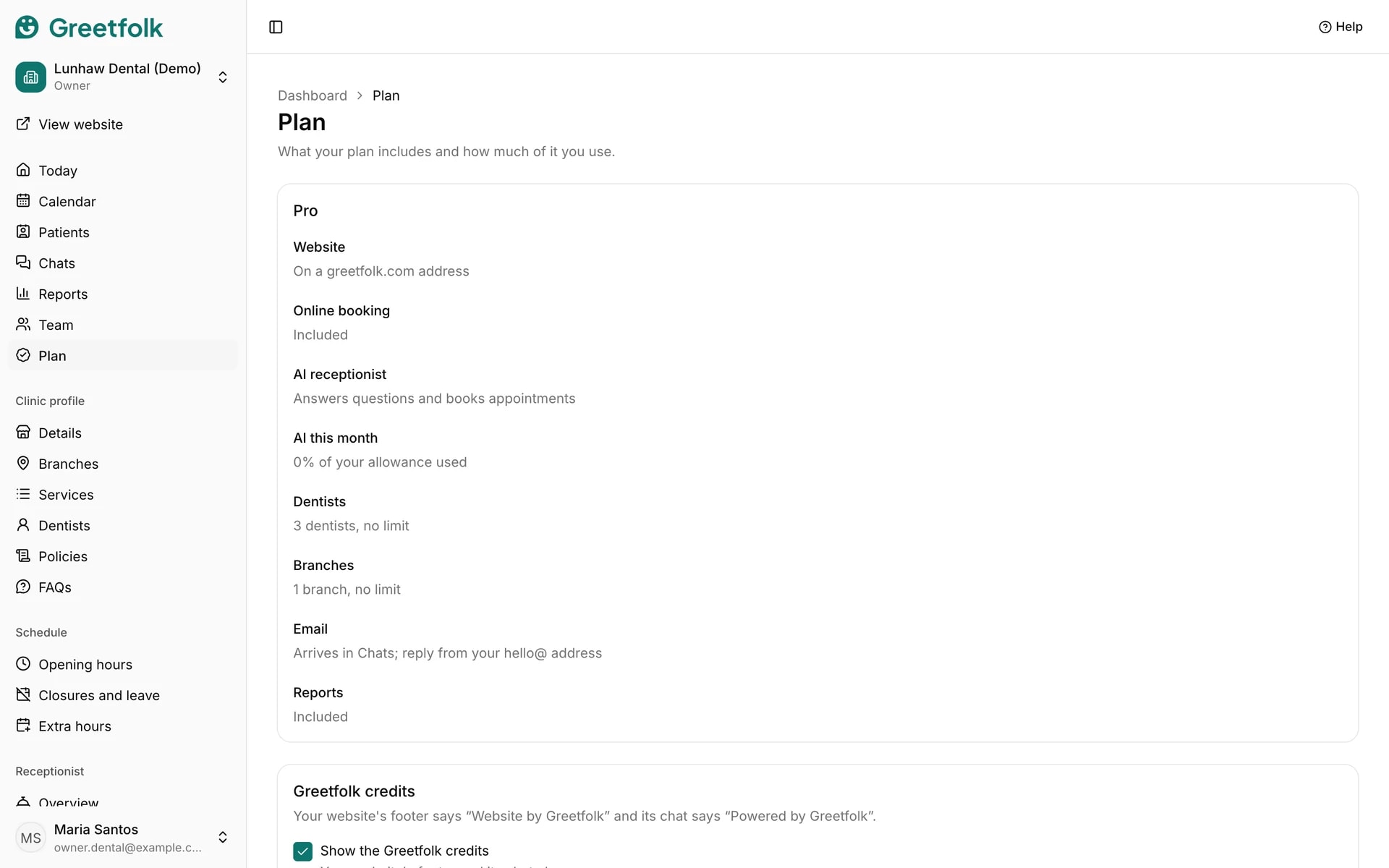
The Plan page shows which plan your business is on, what it includes and how much of it you use. Greetfolk sets the plan, so this page is for reading it and for one setting: the Greetfolk credits.
The screenshots show a demo business with made-up bookings and chats.
1. Open the Plan page
Open Plan in the dashboard menu. The first card names your plan and lists what it includes.
2. Read what your plan includes
The rows cover the website, online booking, the AI receptionist and how many of its answers and bookings you have used, how many branches the website shows, email, and reports. A row that says On every paid plan is what a paid plan adds.
3. Know what Paused means
When you have more branches than your plan shows, the extra ones are marked Paused. They stay in the dashboard but are left off the website and online booking. On a draft they are paused only once you publish.
4. Follow the AI receptionist on the free listing
The free listing includes 100 AI answers a month and the first 20 bookings the AI receptionist makes. The page counts both. After 100 answers the chat says it can't answer right now until the next month starts. After 20 bookings the receptionist keeps answering and sends people to your Book button, and online booking itself never stops. A cancelled booking gives its count back. Paid plans count both by the month: 1,000 answers and 100 bookings on Starter, 5,000 and 500 on Team, and 10,000 answers with no limit on bookings on Pro.
5. Show or hide the Greetfolk credits
Your website's footer says Website by Greetfolk and its chat says Powered by Greetfolk. On a paid plan, untick Show the Greetfolk credits and click Save credits to hide them. The free listing always shows them.
6. Change your plan
To change plan, email [email protected]. Paying for a plan online opens soon. If the page says Greetfolk hasn't set your plan yet, message us: a website can't be published until its plan is set.