Details
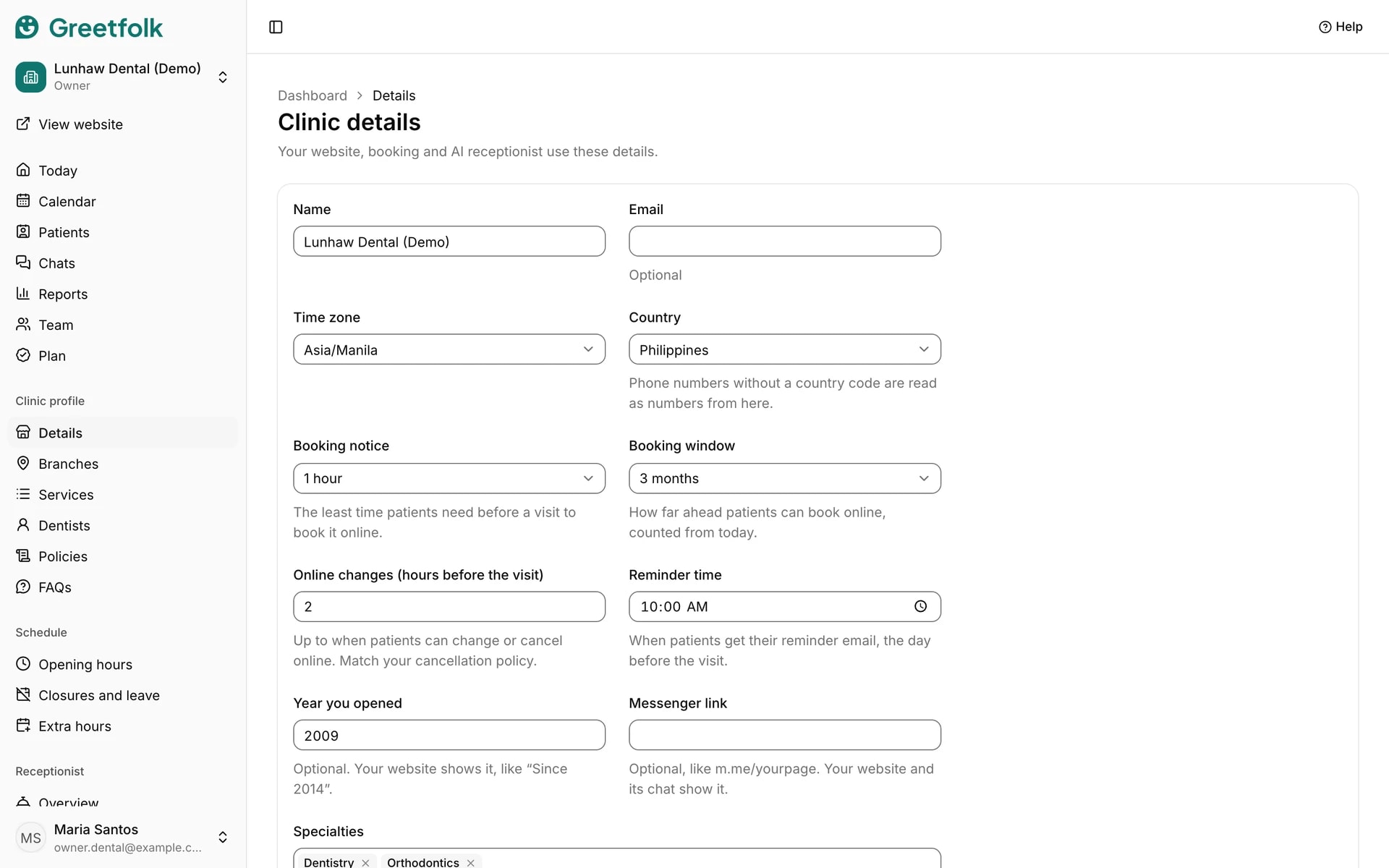
Details holds the basic facts about your business. Your website, online booking and AI receptionist all use them, so you change something once and it updates everywhere.
The screenshots show a demo business with made-up bookings and chats.
1. Open Details
Open Details in the dashboard menu, under your business's profile. Owners and staff can edit it. The people clients book can read it.
2. Set the name and contact details
Enter the business's name, its contact email, the country and the time zone. Phone numbers typed without a country code are read as numbers from that country, and every time on your website and in emails follows the time zone.
3. Choose how booking works
Booking notice is the least time someone needs before a visit to book it online. Booking window is how far ahead they can book, counted from today. Online changes is up to when they can change or cancel online, so match it to your cancellation policy.
4. Pick the reminder time
Reminder time is when people get their reminder email, the day before the visit.
5. Add the extras your website shows
Year you opened shows as a line like Since 2014. Messenger link, like m.me/yourpage, shows on your website and in its chat. Languages spoken and, where your type has them, specialties are listed too. All of these are optional.
6. Save
Click Save details. Your website, booking and the assistant then use the new details.