Receptionist
Receptionist is the overview of your AI receptionist. It answers people from what you have written in the dashboard, and this page shows the main things it reads, where it is answering and how to try it.
The screenshots show a demo business with made-up bookings and chats.
1. Open the overview
Open Overview under Receptionist in the dashboard. The same group holds Facts, the short things only the receptionist reads, and Chat, Messenger and Email, the places people can write to your business through Greetfolk.
2. See what it answers from
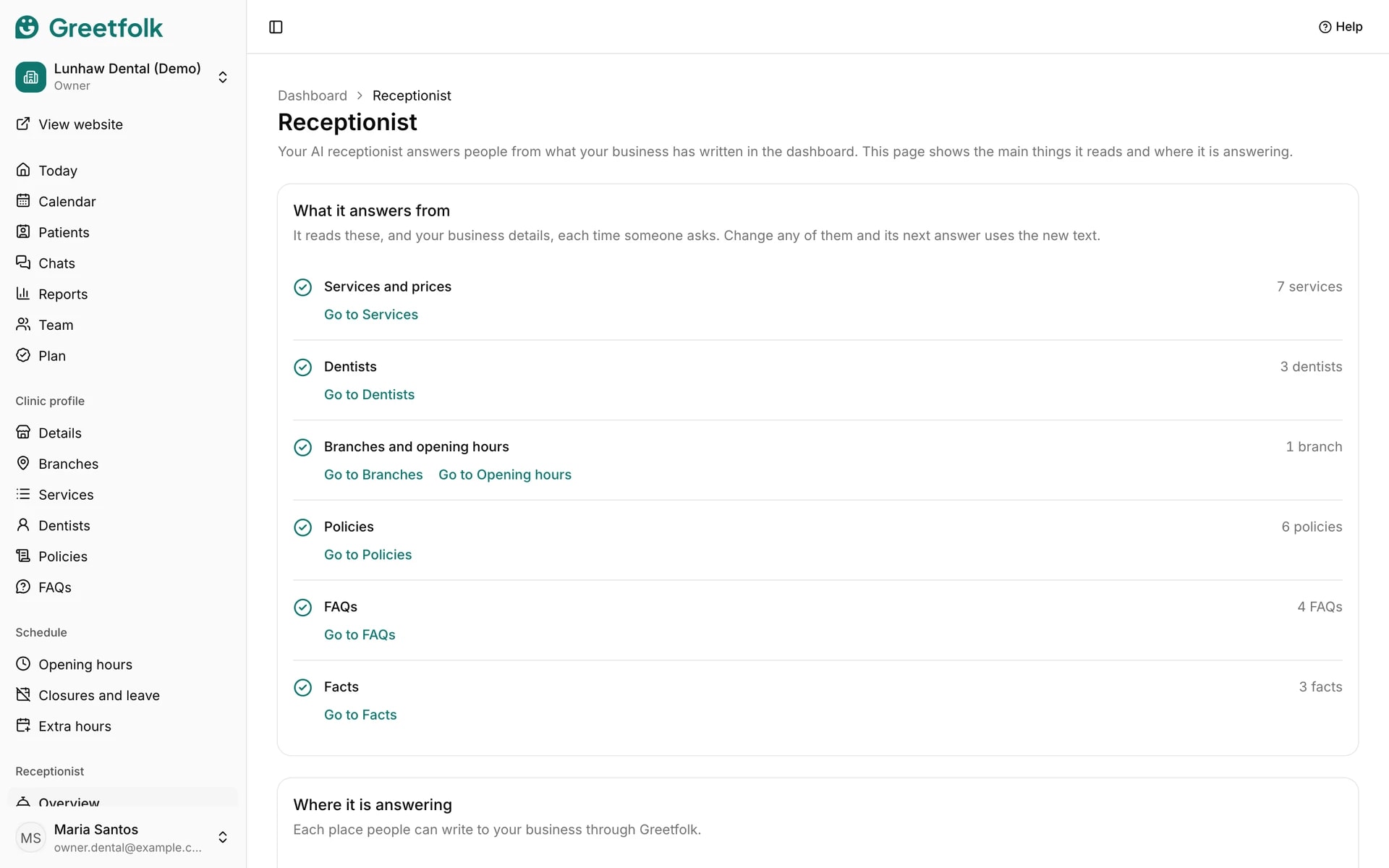
What it answers from lists your services and prices, the people clients book, your branches and opening hours, your policies, your FAQs and your facts, each with a count. It also reads your business details. It reads them again each time someone asks, so its next answer uses whatever you changed.
3. Fill in what is missing
A row with a note is missing something, and the note says what the receptionist does without it. For example, with services that have no price it tells people to ask you for the price, and with no opening hours it will not say when you are open. Use the Go to link on the row to open that page and add it.
4. See where it is answering
Where it is answering shows each place as On or Off, with the reason. Website chat is On when the chat is turned on in Chat. On a draft website it answers only on the preview until you publish. Chat on your own website is On once you have listed your other website's address in Chat, the chat is turned on and your Greetfolk website is published. Messenger is On once a Facebook Page is connected and the website is published. You only see the places you are allowed to open.
5. Know who answers email
Email reads Your team answers. Email to your Greetfolk address shows up in Chats, and the receptionist doesn't answer it: someone on your team replies.
6. Try it yourself
Under Try it, click Open your website, or Open your website's preview on a draft. It opens in a new tab. Ask a question the way someone new would, and the chat answers for real. Do this after you change a price or a policy to check the answer. If the chat is off, the page says so and Turn it on in Chat takes you there.