Messenger
Connect your business's Facebook Page and the AI assistant answers its Messenger, like the chat on your website. Owners connect the Page, and owners and staff can see its status.
1. Check it is switched on for you
Messenger is being turned on business by business while Meta reviews Greetfolk. If the Messenger page says Messenger is coming later, there is nothing to set up yet, and we'll let you know when you can connect your Page.
2. Publish your website first
The assistant answers from your published details, so a draft can't connect a Page. Publish your website, then come back.
3. Connect your Facebook Page
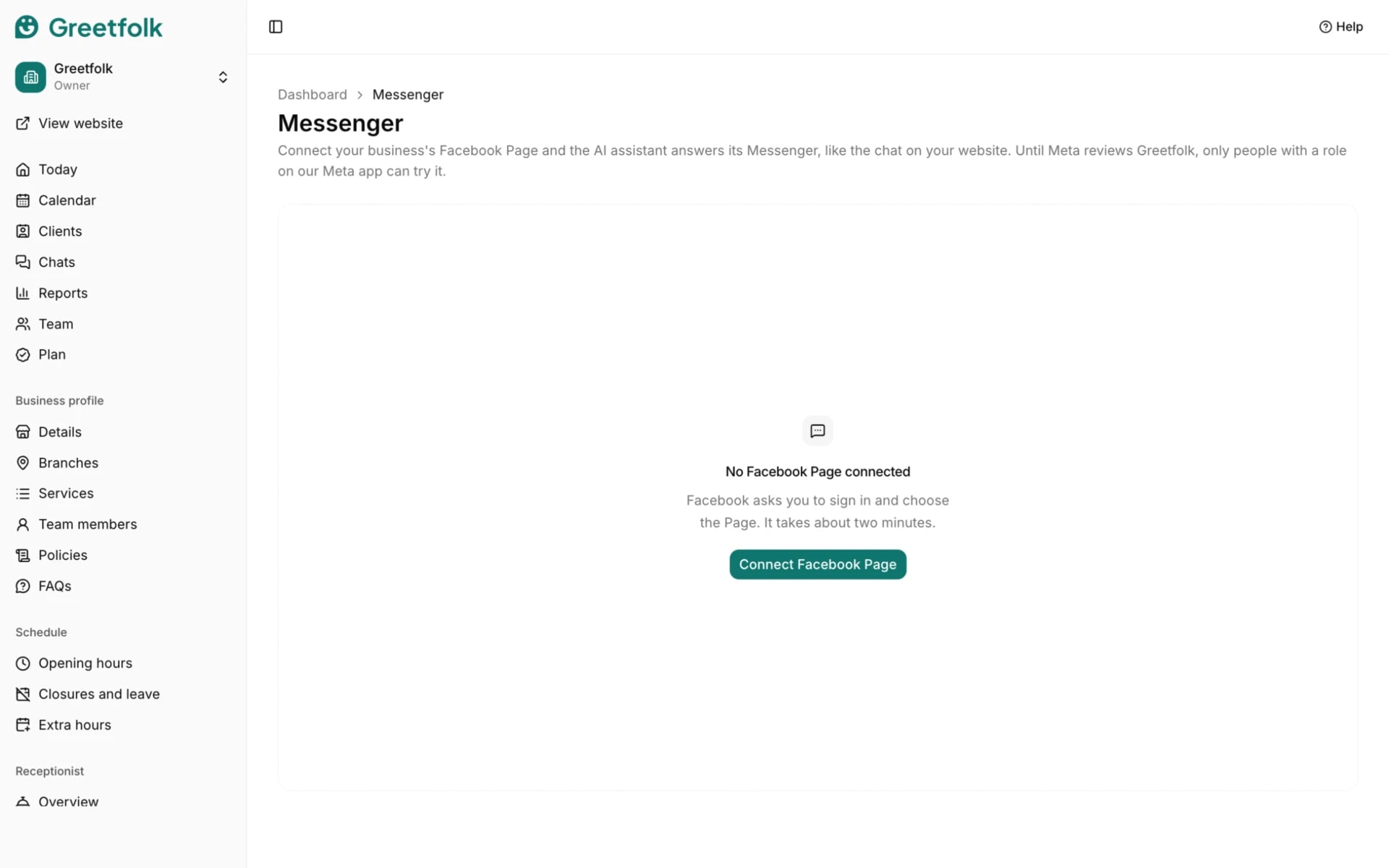
Open Messenger under Receptionist and click Connect Facebook Page. Only an owner can do this, and you may be asked for a code from your authenticator app. Facebook asks you to sign in and choose the Page. It takes about two minutes. Allow everything Facebook asks for.
4. Choose the Page
Back on Greetfolk, pick which Page the AI assistant should answer and click Connect this Page. A Page that is already connected to another business can't be chosen.
5. Let the AI answer first
Two settings on Facebook decide whether new messages reach the assistant. Switch to your Page on Facebook, open its conversation routing settings and choose Greetfolk as the default app for conversations. Then turn off the automated replies in the Page's Inbox, so people don't get two answers.
6. Read the status
The page shows Connected, who connected the Page, the last message, when it was last checked and until when Facebook's access lasts. Needs reconnecting, Missing a permission and Messages paused all mean the assistant isn't answering: reconnect the Page.
7. Reply yourself
When someone on your team replies to a chat in Meta Business Suite, the AI stops answering that chat, so it never talks over a person. It starts again when you mark the chat as done there, or when the person writes again after the wait you choose under When your team replies.
8. See the chats passed to your team
Messenger chats the assistant passed to your team show under Chats with the reason. You answer them in Meta Business Suite.
9. Disconnect
Disconnect stops the assistant answering the Page's Messenger. The chats it already had stay on Greetfolk, and you can connect the Page again later.