Services
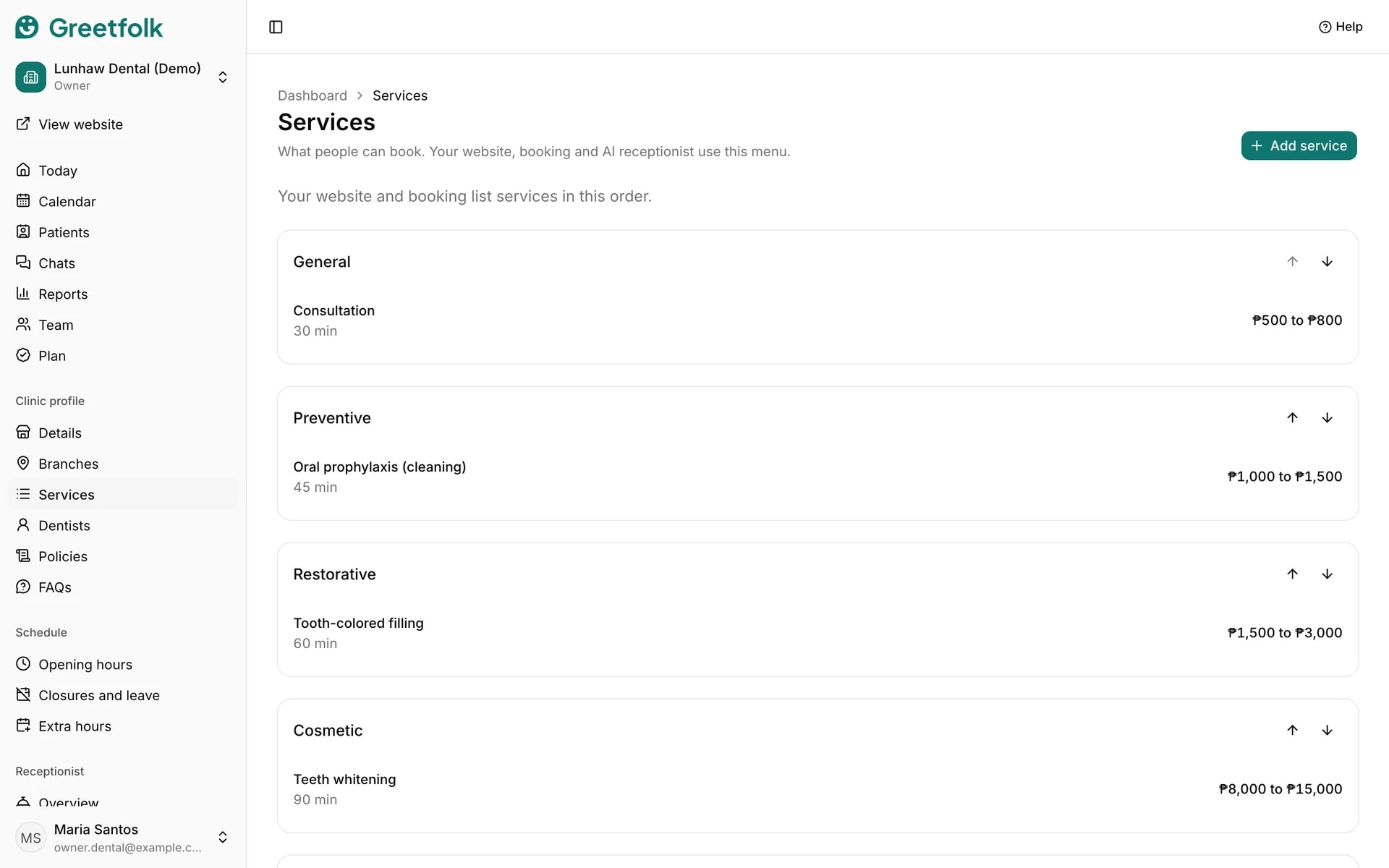
Services is the menu of what people can book, with how long each one takes and what it costs. Your website, online booking and AI receptionist all read from it.
The screenshots show a demo business with made-up bookings and chats.
1. Add a service
Open Services and click Add service. Choose its category, enter the name and the Duration (minutes), and click Add service. Greetfolk refuses a second service with the same name in the same category.
2. Group and order the menu
Menu group puts services under one heading on your website. On the Services page, the arrows move a group or a service up and down, and your website shows them in the same order.
3. Set the price
Enter one price or a range in whole amounts. Leave it empty and your website says Ask us for the price, or enter 0 for a free service. Under prices the website adds that they are a guide and the final price depends on the visit.
4. Approve suggested prices
A new business starts with typical prices marked to confirm, which the website shows as About that amount. Open the service and click Approve this price, or change the price and save. A website can't be published until every price is approved.
5. Write the description
Description shows on the service's own page on your website. Draft with AI writes one for you on a saved service. Check that every word is true, then click Approve this text and Save service. Until you approve it, AI text shows only while your site is a draft.
6. Stop offering a service
Untick Open for bookings to take a service off your website and stop new bookings for it while keeping it in your list. Delete service asks first, and also takes it off the list of everyone who offers it.